What is Lecture Explainer?
Lecture Explainer is MimWise's page-by-page AI tutor for university lecture PDFs. Upload your slides, jump to the page you are stuck on, and get voice-narrated teaching with diagrams and practice tied to that exact slide.
 MimWise
Get Started
MimWise
Get Started
Upload a university lecture PDF. MimWise teaches page by page with voice narration, diagrams and practice, not a wall of chat text.
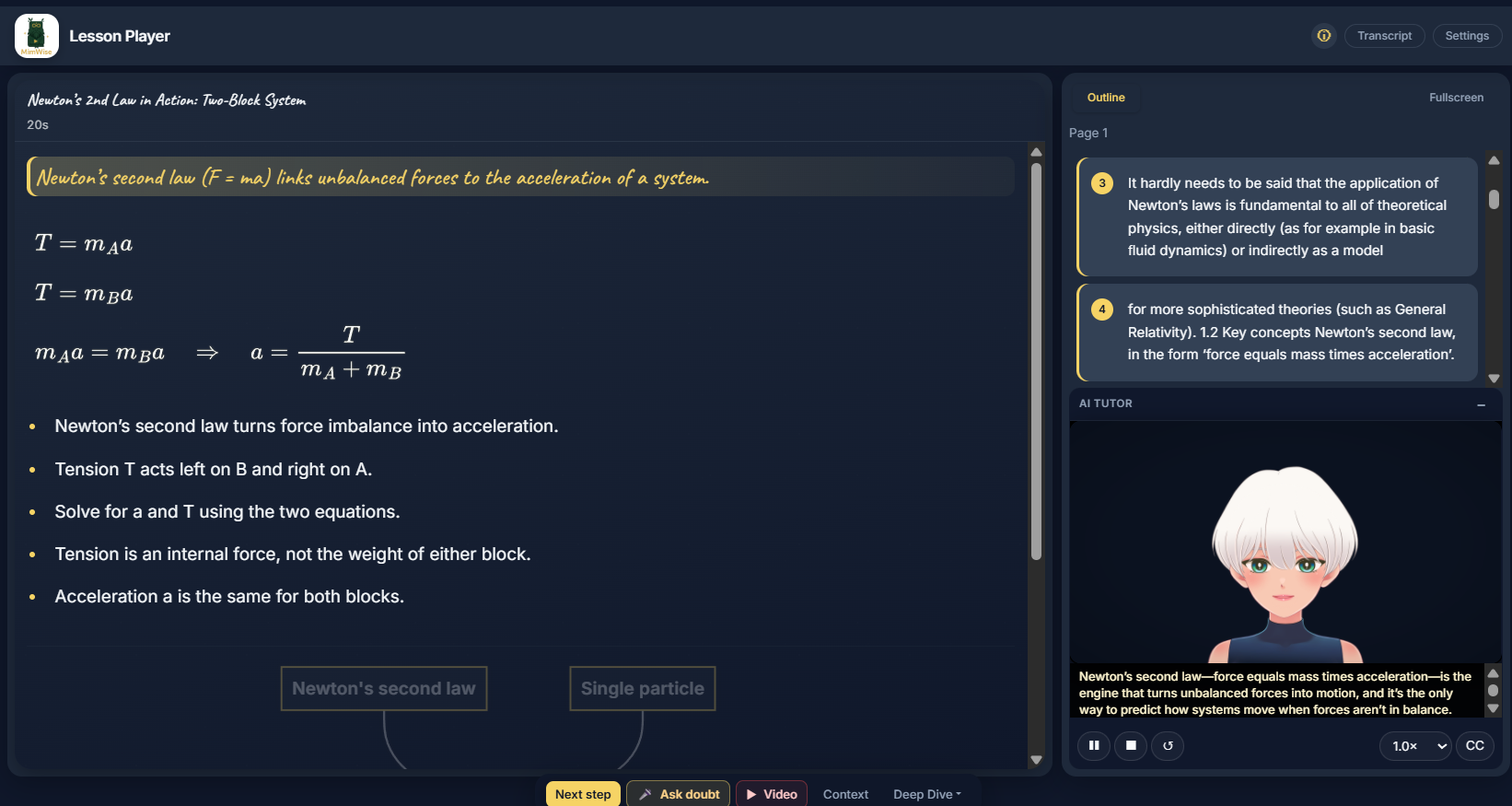
Upload PDF or PowerPoint — teaching starts immediately. No prompt engineering.
Cold start vs summary tools: NotebookLM, Mindgrasp, and similar tools excel at summaries and notes. MimWise takes you deeper on each slide — voice, diagrams, and practice — when one dense page blocks the rest of the chapter. From £5/mo (vs ~£50/mo on weekly tutor apps like Studdy).
Built for students who study alone with dense slide decks.
What it is, who it is for, and how lecture PDFs become lessons and quizzes.
Lecture Explainer is MimWise's page-by-page AI tutor for university lecture PDFs. Upload your slides, jump to the page you are stuck on, and get voice-narrated teaching with diagrams and practice tied to that exact slide.
Yes. It is built for exam-season revision when one dense slide blocks the rest of the chapter. You can replay explanations, then practice with Instacram quiz rounds from the same PDF.
No. Guest Mode lets you open Lecture Explainer in your browser without signing up. Create a free Learner Beta account for saved progress and higher limits.
ChatGPT answers in a chat box. Lecture Explainer teaches from your actual PDF page by page with narration synced to each slide—not a generic summary detached from your professor's deck.
PDF and PowerPoint (PPTX) uploads work best for STEM lecture decks. Try the sample Physics 101 deck from the homepage if you want to explore first.
Open a demo, read the guide, or compare with generic chat.
MimWise is built by students who struggled through dense slides. Retention is all you need.